
Your database speaks SQL.You don't have to.
Ask a question in plain English. NatureQuery writes read-only SQL for your database, runs it, and hands back the answer as a table, a chart or a summary.
Free plan: 50 AI questions a month. No card needed.
Watch the demo (1:00)“Which 5 customers spent the most this year?”
Asked of NatureQuery's sample store: 3,120 orders placed this year.
SELECT c.name, c.country, SUM(o.total_amount) AS total_spentFROM orders oJOIN customers c ON c.id = o.customer_idWHERE o.status IN ('completed', 'shipped') AND o.order_date >= '2026-01-01'GROUP BY c.id, c.name, c.countryORDER BY total_spent DESCLIMIT 5;Read-only, checked before it runs
| Customer | Spent |
|---|---|
| Lucia LopezCanada | $17,647.20 |
| Lucia KowalskiAustralia | $14,454.90 |
| Ruby MullerAustralia | $13,912.20 |
| Liam MullerUnited Arab Emirates | $11,923.20 |
| Ava TanakaUnited Arab Emirates | $11,862.90 |
As a table, a chart, a summary or an Excel file.
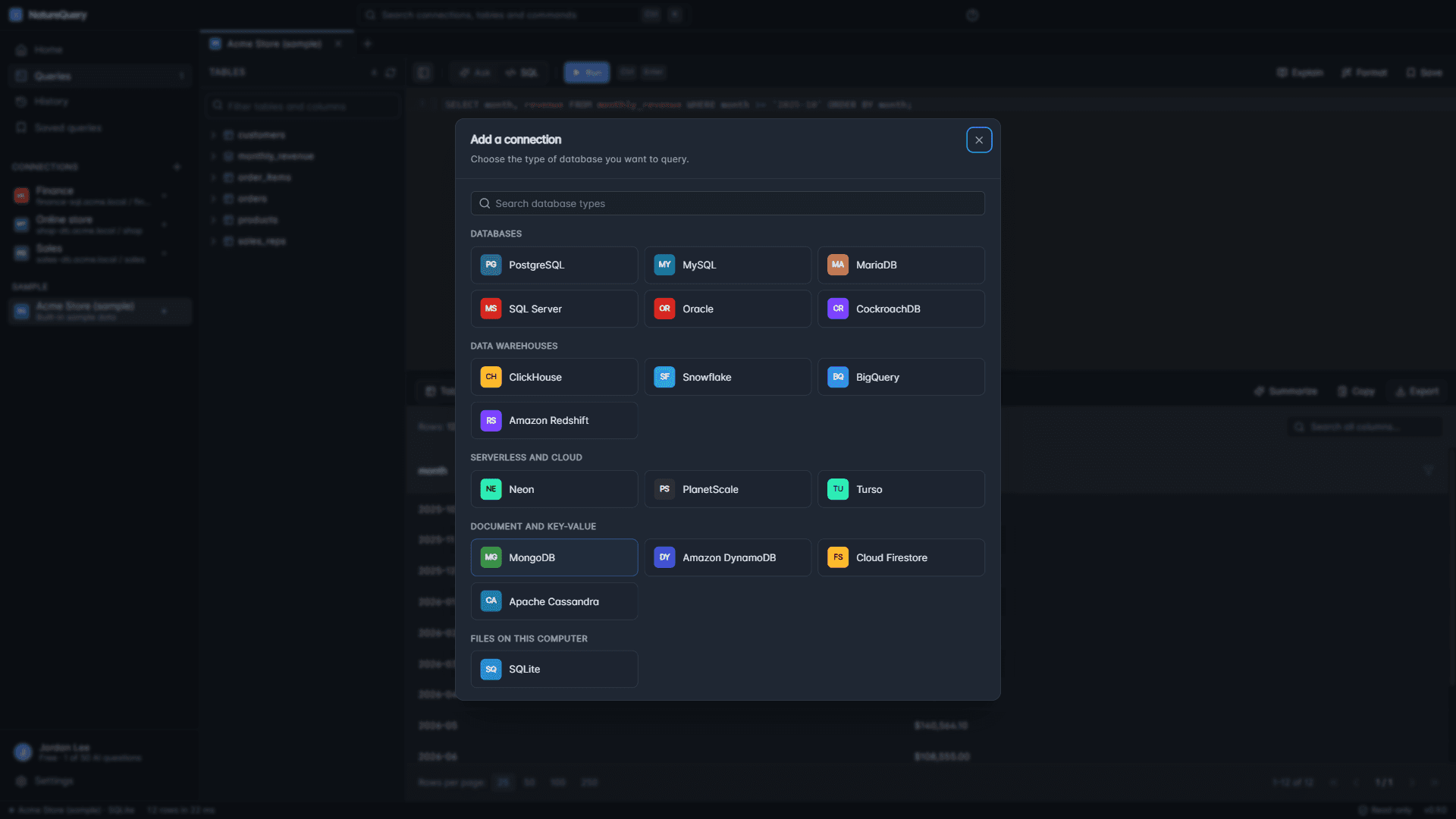
Works with
- PostgreSQL
- MySQL
- MariaDB
- SQL Server
- Oracle
- Amazon Redshift
- BigQuery
- Snowflake
- CockroachDB
- ClickHouse
- Neon
- Supabase
- PlanetScale
- MongoDB
- and CSV or Excel files
NatureQuery Desktop also connects to SQLite, Turso, DynamoDB, Firestore and Cassandra.
How it works
Four steps between a question and its answer.
Step 1
Reads your schema
Table and column names, types and keys. Enough to write the query, and nothing from the rows inside.
Step 2
Writes the SQL
In your database's own dialect, and always shown to you, so you can check it or keep it.
Step 3
Checks it is read-only
Anything that would insert, update, delete or drop is refused before it reaches your database.
Step 4
Runs it and answers
A table or chart, a summary in plain English, or an Excel file for whoever asked.
Demo
Watch a question become an answer.
Connect a database, ask in plain English, and get the SQL and the results. The whole flow, in a minute and twenty-two seconds.
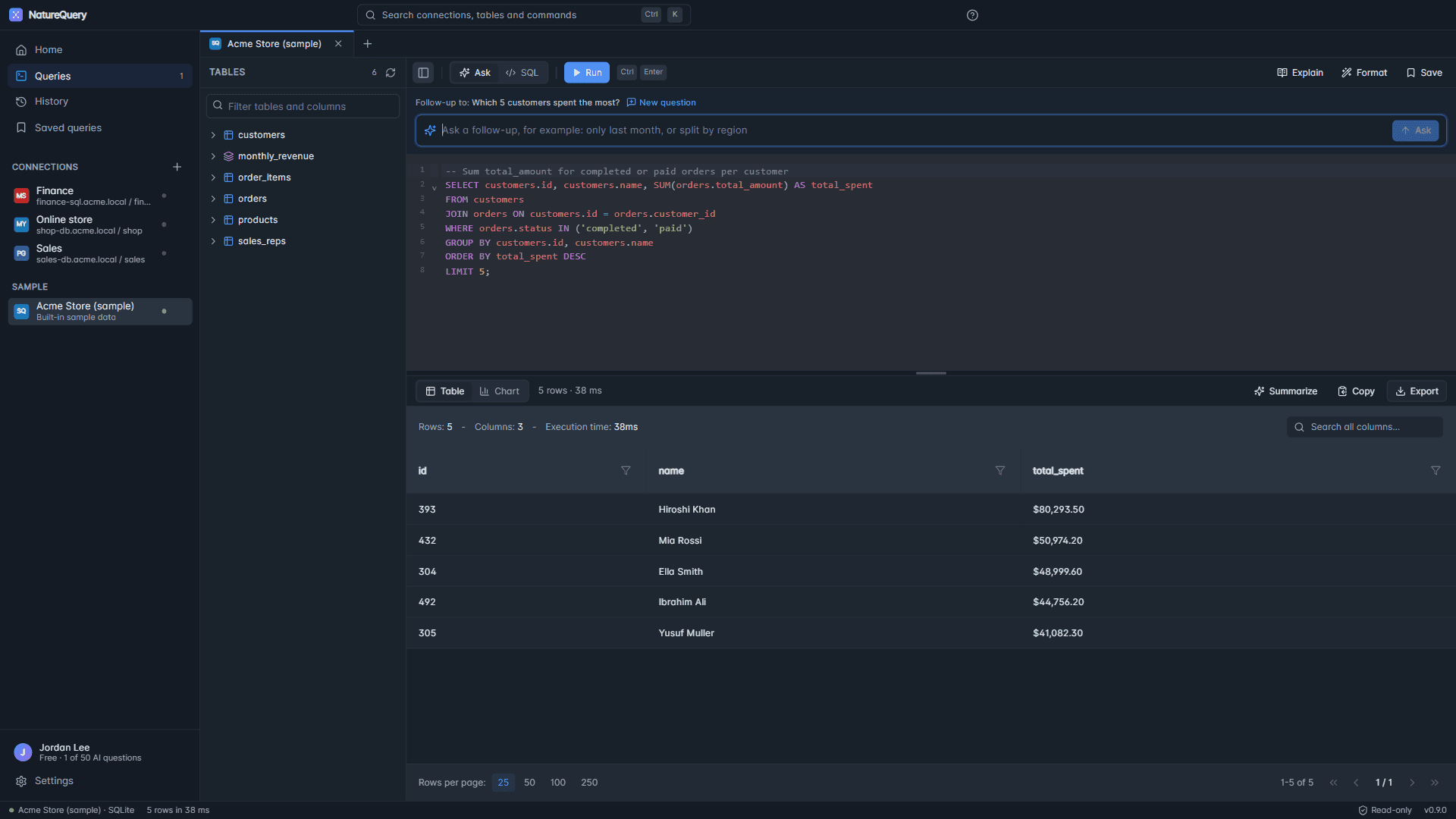
Follow-up questions
Ask the next question the way you would ask a colleague.
Say “only last month” or “split it by region”. NatureQuery refines the query it just wrote instead of starting over.
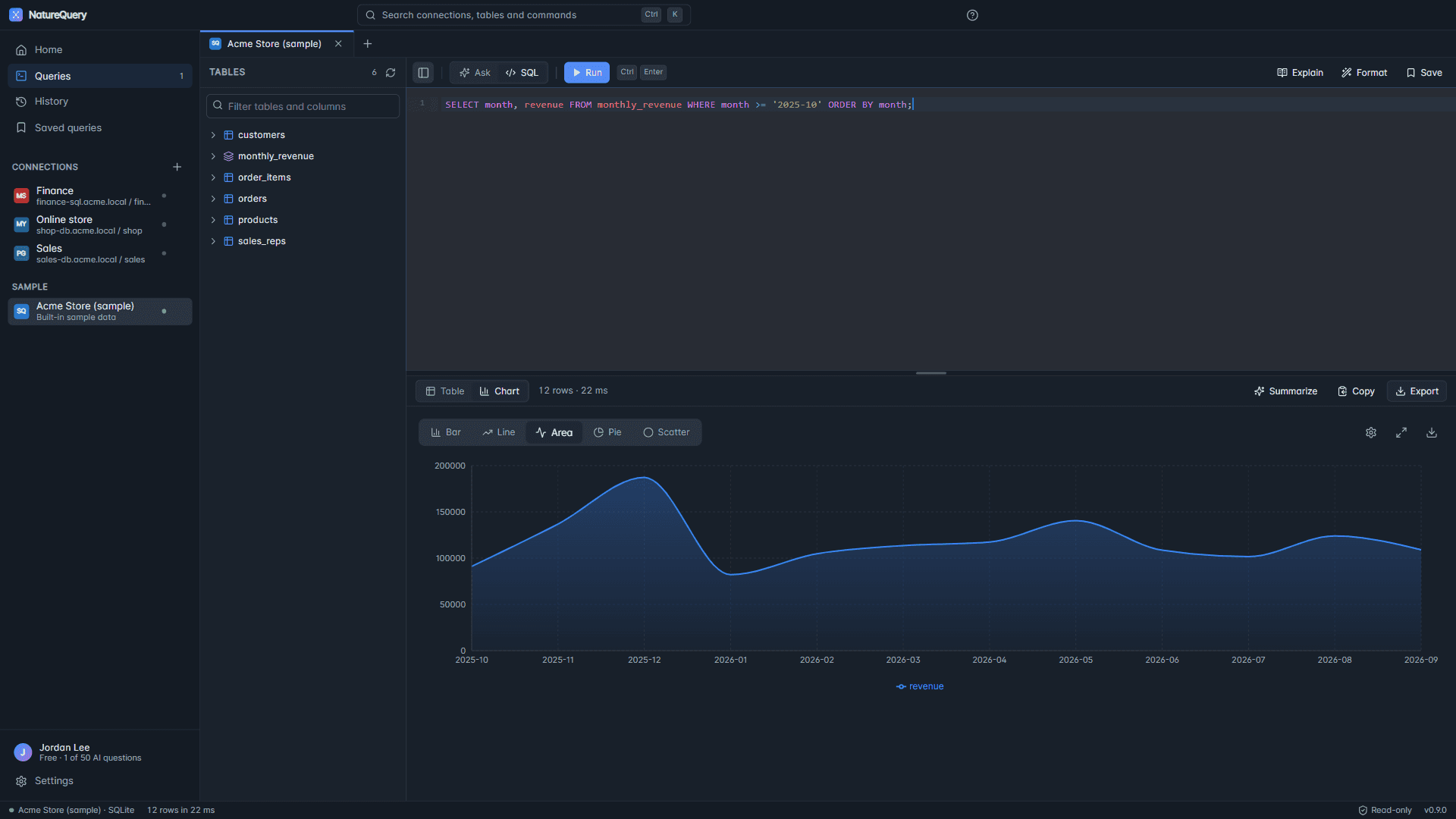
Charts
A chart without building one.
Switch any result to a bar, line, area, pie or scatter chart in one click, then open it full screen for the meeting.
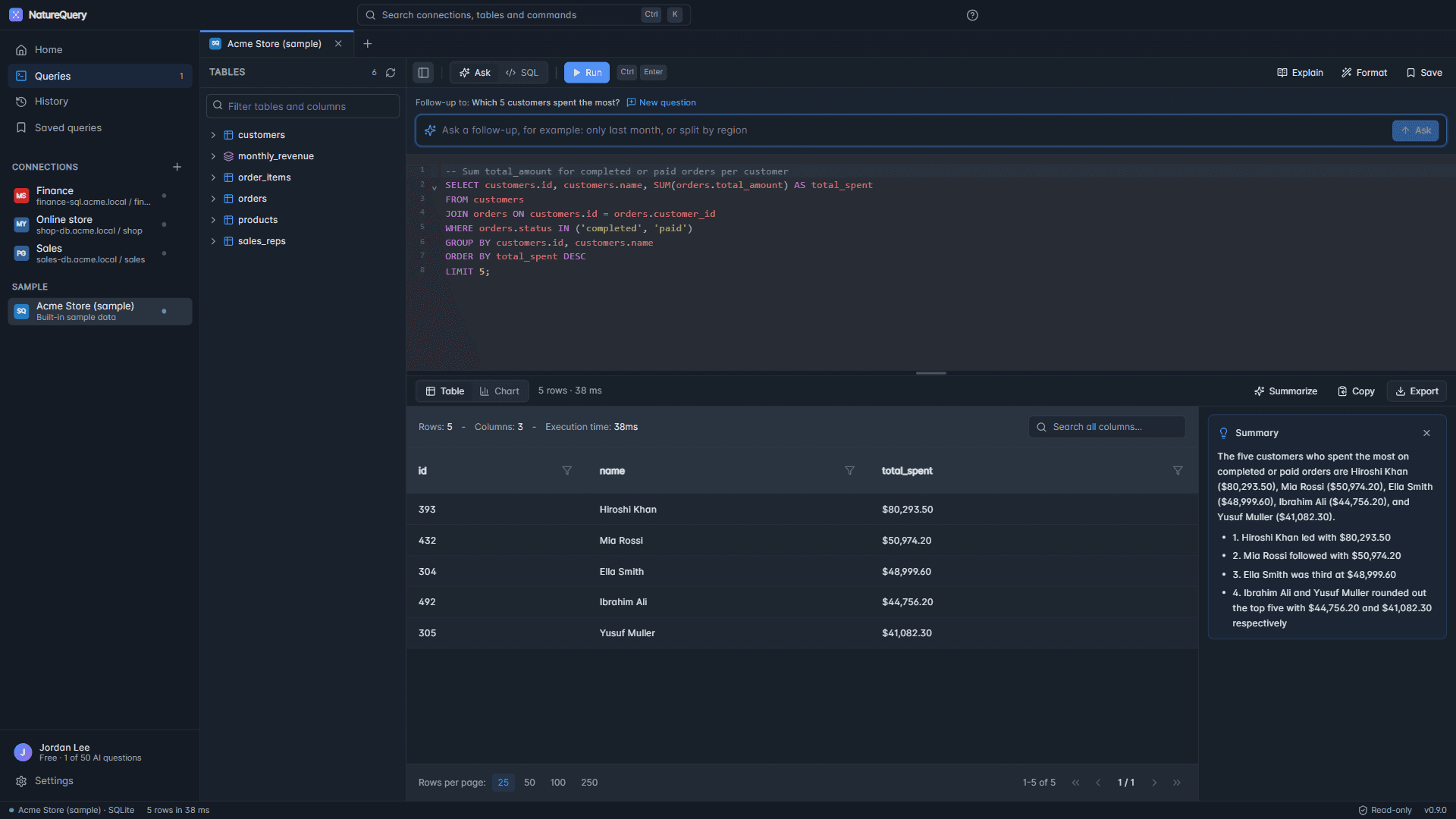
Explain and summarize
Answers the whole team can read.
Explain turns any query into plain English, so you know exactly what was counted. Summarize turns a result into a few sentences you can paste into a report.
Safeguards
Careful with your data, by design.
Built for the person who answers for the production database.
Read the privacy policy- Read-only
- Queries that would change your data are refused before they reach your database, on the web and in the desktop app.
- Schema, not rows
- Writing a query needs only table and column names. The few features that use result rows are spelled out in the privacy policy.
- Encrypted credentials
- Connection passwords are encrypted with AES-256-GCM on the web, and with your Windows account in the desktop app.
- Your sign-in
- Two-factor sign-in with backup codes, and a list of every computer signed in to your account.
- Audit log
- Sign-ins and sensitive actions are recorded, so you can see who did what and when.
NatureQuery Desktop
For the databases a website can't reach.
Databases on your own computer, on your office network or behind a VPN. The Windows app connects to them directly, and connection passwords never leave your PC. Same account, same plan.


Pricing
Free to start.
One plan covers the team.
Pro
$20a month
- Unlimited AI questions
- 10 database connections
- Shared with up to 5 team members
Enterprise
$79a month
- Unlimited connections and team members
- Audit logs
- Dedicated support