
Product
Everything between a question and the decision it leads to.
NatureQuery writes the SQL, runs it read-only, and gives your team answers they can chart, share and act on. Here is everything it does.
01 Asking
AI that understands your tables.
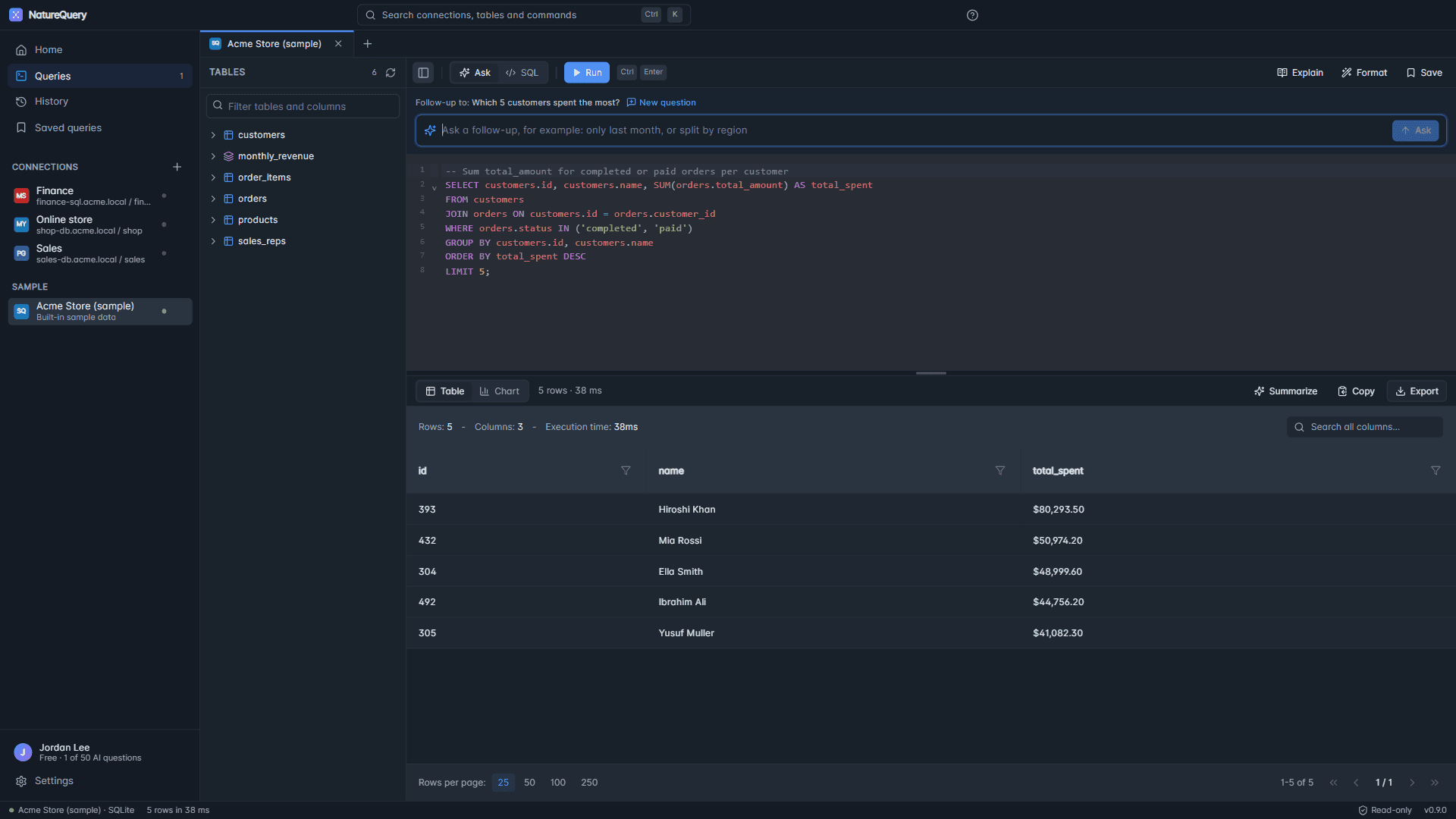
Ask in plain English and get SQL written for your database, in seconds.
- Plain English to SQL
- Type “show me top customers by revenue” and get join-aware SQL for your schema. No SQL knowledge needed.
- Follow-up questions
- Say “filter to New York” or “break it down by month” and NatureQuery changes the query it just wrote.
- Step-by-step reasoning
- Watch it work: which tables it picks, how it joins them, and why, before the SQL appears.
- Schema insights
- Connect a database and get suggested questions based on the tables and columns it finds.
- Fix with AI
- When the database rejects a query, NatureQuery reads the error, corrects the SQL and runs it again.
- Explain any query
- A plain-English breakdown of what a query does, so you can check it before you trust the answer.
02 Working with results
Tools for the answer, not just the query.
Explore, format, chart and export what comes back.
- Column filters and search
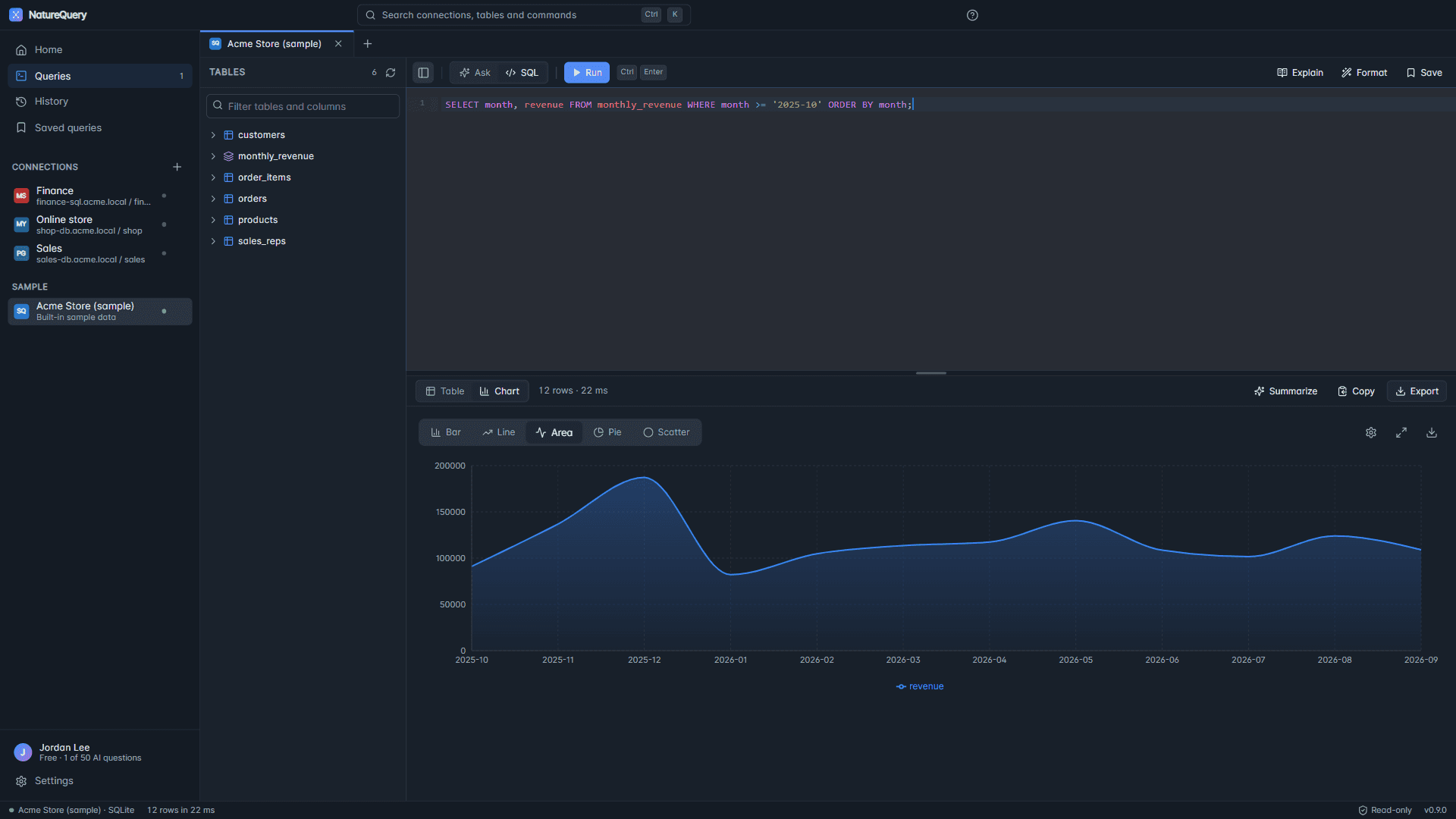
- Search across every result, and filter each column by type: text matches for strings, ranges for numbers.
- Charts in one click
- Draw any result as a bar, line, area, pie or scatter chart, with a recommended type for the shape of your data.
- Excel and CSV export
- Download results as formatted Excel workbooks or CSV files, with headers and types kept.
- CSV and Excel uploads
- Drop in a spreadsheet and NatureQuery turns it into a table you can ask questions about straight away.
- Query templates
- Save your best queries as reusable templates and group them by topic, such as sales or inventory.
- SQL formatter
- One click turns a long query into neatly indented, readable SQL.
04 Teams
One plan for the whole team.
From one analyst to a whole department, on the same account.
- Team plans
- Invite colleagues to your team and they use your plan on the website and in NatureQuery Desktop: 5 people on Pro, unlimited on Enterprise.
- Roles
- Owner, admin, member and viewer roles decide who can invite people, manage connections or run queries.
- 14 databases
- PostgreSQL, MySQL, SQL Server, Oracle, Snowflake, BigQuery, MongoDB and 7 more, side by side in one workspace. NatureQuery Desktop adds SQLite, Turso, DynamoDB, Firestore and Cassandra.
- API access
- A REST API with key-based authentication for your own scripts and tools.
- Your language
- The interface is available in English, Spanish, French, German and Japanese.
- NatureQuery Desktop
- A Windows app for databases on your own computer or office network, with the same account and plan.
05 Security
Careful with production data.
Several layers between a question and anything that could go wrong.
- Read-only queries
- PostgreSQL and Redshift queries are parsed and checked statement by statement; every dialect is checked against a list of commands that change data. Only reads reach your database.
- AES-256-GCM encryption
- Database credentials are encrypted at rest, and the key can be rotated without downtime.
- Two-factor sign-in
- Authenticator-app codes with backup codes for recovery, plus a list of every computer signed in to your account.
- Audit log
- Sign-ins and sensitive actions are recorded, with entries chained by hashes so changes can be detected.
- Rate limiting
- Per-user, per-endpoint limits protect your databases and your account from abuse.
- Security headers
- Content Security Policy, HSTS, frame protection and a strict permissions policy on every response.